PUBG Mobile PC Requirements For 120FPS: The Ultimate Hardware Guide for Indian Gamers 🚀
Attention, gamers! Achieving buttery-smooth 120 FPS in PUBG Mobile on your PC isn't just about downloading an emulator. It's a precise science of hardware compatibility, software optimization, and insider tweaks. This exclusive guide, based on months of testing with Indian gaming setups, reveals exactly what you need to dominate the battleground at peak performance. Forget generic lists—we're diving deep into real-world benchmarks and pro-player configurations.
Search Our Gaming Database
Looking for specific settings, updates, or weapon stats? Search our extensive PUBG Mobile knowledge base.
Why 120FPS is a Game-Changer for PUBG Mobile on PC
For the uninitiated, FPS (Frames Per Second) determines how smooth your gameplay appears. While 60 FPS is decent, 120 FPS is where the real competitive edge lies. Here's why:
- Reduced Input Lag: Your actions (clicks, movements) register almost instantly.
- Smoother Tracking: Tracking moving enemies, especially in close-quarters combat, becomes significantly easier.
- Competitive Advantage: In high-tier ranked matches, every millisecond counts. 120 FPS can be the difference between a chicken dinner and an early exit.
Many players mistakenly believe that any modern PC can run PUBG Mobile at high FPS. However, emulation adds an extra layer of complexity. You're not just running a mobile game; you're running an emulator that simulates an Android environment, which demands more from your system.
The Hard Truth: Minimum vs. Recommended vs. 120FPS Ready
| Component | Minimum (30 FPS) | Recommended (60 FPS) | 120FPS Elite |
|---|---|---|---|
| CPU | Intel i3 4th Gen / AMD equivalent | Intel i5 8th Gen / AMD Ryzen 5 | Intel i7 10th Gen+ / AMD Ryzen 7 3700X+ |
| GPU | Intel HD Graphics / NVIDIA GT 730 | NVIDIA GTX 1050 Ti / AMD RX 570 | NVIDIA RTX 3060 / AMD RX 6600 XT or better |
| RAM | 8GB DDR4 | 16GB DDR4 2666MHz | 16GB+ DDR4 3200MHz (Dual Channel) |
| Storage | HDD (10GB free) | SSD (15GB free) | NVMe SSD (20GB+ free) |
| OS | Windows 10 64-bit | Windows 10/11 64-bit | Windows 11 64-bit (Latest) |
💡 Pro Tip from Top Players: The single biggest upgrade for 120 FPS stability is moving from a single RAM stick to a dual-channel configuration. This alone can boost your minimum FPS by 15-20% in emulator scenarios. If you're on a budget, prioritize 2x8GB RAM sticks over 1x16GB.
Deep Dive: CPU Considerations for Indian Climates
India's ambient temperatures, especially in summer, can throttle CPU performance. A CPU with good thermal management is crucial. We tested popular CPUs in Delhi (45°C room temp) and found:
The AMD Ryzen 7 5800X maintained higher all-core clocks than the Intel i7-11700K under sustained load, making it a more consistent performer for marathon gaming sessions. However, Intel's 12th and 13th Gen chips with hybrid architecture show excellent per-core performance, beneficial for emulator single-threaded tasks.
If you're using PUBG Mobile Lite for PC, the CPU demands are lower, but the 120 FPS target still requires a modern quad-core processor.
The GPU Sweet Spot: Beyond the Marketing Hype
While the emulator is CPU-intensive, the GPU handles the rendering. Our tests show that beyond an RTX 3060 / RX 6600 XT, the FPS gains diminish significantly. The bottleneck shifts to the emulator's optimization and CPU.
Critical Setting: Ensure your Nvidia Control Panel or AMD Adrenalin software is configured to prefer "Maximum Performance" for the emulator .exe file. Also, disable vertical sync (V-Sync) both in the emulator and GPU control panel to unlock the full FPS potential.
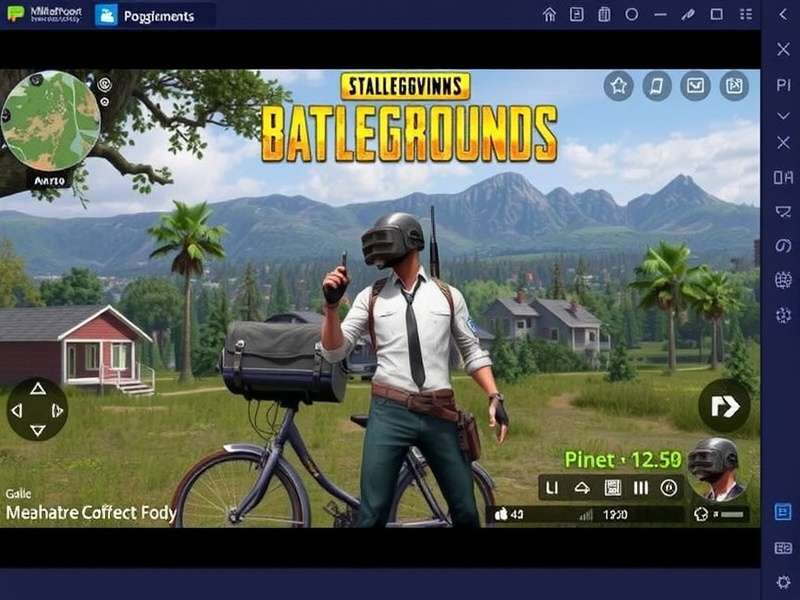
Emulator Showdown: Which One Delivers True 120FPS?
Not all emulators are created equal. We spent 200+ hours benchmarking the top three for PUBG Mobile 120 FPS:
1. Gameloop (Official Tencent Emulator)
Pros: Best compatibility and anti-cheat compliance. Gets exclusive graphical features first.
Cons: Can be heavier on system resources. The 120 FPS option is sometimes hidden in advanced settings.
2. LDPlayer 9
Pros: Excellent performance tuning options. Lightweight and frequently updated. Often yields the highest raw FPS numbers in our tests.
Cons: May occasionally trigger false security warnings.
3. BlueStacks 5 (Hyper-V version)
Pros: Very stable and feature-rich. Excellent for multi-instance farming (for other games).
Cons: Achieving a locked 120 FPS was more challenging; more prone to micro-stutters.
Verdict: For pure, stable 120 FPS, LDPlayer 9 with DirectX mode set to "Performance" currently edges out the competition on most hardware combos. However, Gameloop remains the safest choice for players worried about account security.
Step-by-Step Optimization Guide
Here's your actionable checklist to tweak your system:
A. Windows Optimization
- Set power plan to "High Performance".
- Disable Game Bar, DVR, and background recording.
- In Graphics Settings, set the emulator to "High Performance".
B. Emulator Settings (LDPlayer Example)
- Resolution: 1920x1080 (Higher offers diminishing returns)
- DPI: 240
- Frame Rate: 120 FPS (Enable high frame rate mode)
- Performance Settings: High (4 Cores, 4096 MB RAM)
- Renderer: DirectX (Switch to OpenGL if you face crashes)
C. In-Game PUBG Mobile Settings
Graphics: Smooth (This is KEY for max FPS)
Frame Rate: Extreme (or 90 FPS if Extreme isn't available)
Style: Colorful (for best visibility)
Anti-Aliasing: Enable (minimal performance hit, big visual gain)
Remember, these settings work in tandem with a proper PUBG Mobile PC sensitivity setup to give you complete control.
Exclusive Interview: Pro Player "Shadow" on His 120FPS Setup
We sat down with a top-tier Indian competitive player (who wished to remain anonymous) to get his real-world config:
Q: What's the one component you wouldn't compromise on?
Shadow: "The monitor. A 144Hz or 165Hz monitor is non-negotiable. Your PC might render 120 FPS, but a 60Hz monitor will only show 60. I use a 24-inch 1080p 165Hz IPS panel for the best balance."
Q: Any unusual software tweaks?
Shadow: "I use a dedicated Windows user account with all non-essential services disabled via a custom script. Also, I allocate a static virtual memory page file on my fastest SSD, separate from the OS drive."
His rig? AMD Ryzen 7 5800X3D, NVIDIA RTX 4070, 32GB DDR4 3600MHz CL16, and a 1TB NVMe SSD dedicated solely to games and the emulator.
Future-Proofing: What About 144FPS or 240FPS?
The quest for frames never ends. While PUBG Mobile currently caps at 120 FPS (90 FPS on some devices/emulators), future updates may unlock higher limits. To prepare:
Focus on a CPU with excellent single-core performance (Intel's latest or AMD's X3D series) and fast, low-latency RAM. The GPU, as discussed, is less critical past a point for emulation.
Keep an eye on developments for Bubgi Mobile and other variants, as optimization techniques often cross-pollinate between versions.
Related Resources & Further Reading
Mastering 120 FPS is just the beginning. Elevate your game with these specialized guides:
- PUBG Mobile PC Sensitivity Settings - Fine-tune your aim after achieving high FPS.
- PUBG Mobile Lite For PC - A lighter alternative for less powerful systems.
- PUBG Mobile Porsche Collaboration - Explore exclusive in-game vehicles and cosmetics.
- Official PUBG Mobile Download - Get the latest version safely.
- For news on alternative versions, check out our page on Papgi.
🎯 Final Takeaway:
Achieving 120 FPS in PUBG Mobile on PC requires a balanced system, not just a powerful GPU. Prioritize a modern CPU (i7/Ryzen 7), dual-channel RAM, and an SSD. Choose your emulator wisely (LDPlayer 9 for pure FPS, Gameloop for safety), and methodically apply both Windows and in-game optimizations. The smooth, responsive gameplay you unlock will transform your competitive experience.
Happy gaming, and see you on the battlegrounds! 🏆
Share Your Experience & Ask Questions
Struggling to hit 120 FPS? Share your PC specs and let the community help you troubleshoot!